The wishlist inside a gift exchange
Published on 8/21/2026
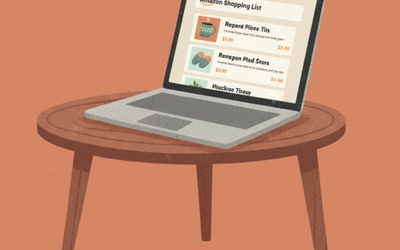
Every participant has their own wishlist inside the exchange. It is how you tell whoever is buying for you what you would actually like, without having to tell them, because you do not know who they are.
The list belongs to that specific exchange. If you take part in two, you have a separate list in each.
Where it is
Inside the exchange, on the Wishes tab.
You do not have to wait for the draw to fill it. In fact filling it early is the best thing you can do: when the draw runs, whoever gets you will find your list already there.
Two ways to add products
Search for products
The search box queries the store catalogue for the exchange's country. It needs at least four characters.
Up to ten results are shown. Each comes with its image, title and price, and a button adds it to your list.
Paste a link
If the product you want is not among those results, or lives in a different store, use Add product link and paste the address.
It works with any store: Amazon, Mercado Libre, Shein, whichever. The title and image are fetched automatically from the link, so the card ends up looking just as presentable as a search result.
If the link is an Amazon one, the affiliate tag is added before it is saved.
Who sees your list
Only the person who drew you, and only after the draw.
They find it on the exchange overview, under your name, with the number of items you have. Each item appears as a card with a direct link to buy it.
Before the draw there is nobody to show it to, because the assignments do not exist yet.
Deleting an item
Every card on your list has its own delete button, with a confirmation before it goes. You can change your mind as often as you like: until somebody has bought something, the list is a draft.
The nudge: reminding your secret friend
Once you have at least one item, a block appears with the Remind my secret friend button.
It emails the person who is buying for you to let them know your list is ready, saying how many items are on it. It is the polite equivalent of an elbow in the ribs.
Two important things:
- You never find out who you sent it to. The system locates whoever is buying for you and writes to them, but all you get back is confirmation that it went. The secret stays intact.
- It does not work before the draw, and it tells you so. Without assignments there is no possible recipient.
Sending manually from this button has no cooldown between one and the next. Use it with judgement: it is a reminder, not a messaging channel.
If you leave the list empty
Nothing terrible happens, but you lose control over what you are given.
When your list is empty, the wishes tab offers Fill For Me, which adds five suggested products based on the exchange's category and budget. You can delete the ones you do not like and keep the rest.
And if you still leave it empty, the person who drew you will not see a blank: they will see generic suggestions based on the exchange details. They work, but they are guessing.
Worth knowing
- Card prices and currency are whatever the store showed when you added them; they do not update by themselves.
- An item added from an external link also stores its source domain, so it is clear which store it came from.
- The exchange budget is a suggestion shown to everybody, not a limit the system enforces on what you add.
- You can keep editing your list after the draw. Whoever is buying always sees the current version, so if you add something late, let them know with the reminder button.
Start Your Exchange
More Guides
View all
How to organize a secret santa with Gift2Gift
Creating a Secret Santa has never been easier! Read step-by-step guide to setting up your gift exchange, managing participants, and wishlists!
How to set exclusions before the draw
Couples, siblings or anyone who already exchanges gifts: how to make sure the draw never pairs them, in either direction.
How GiftGuru works
The gift suggestions inside your exchange: where they come from, how they fit your budget, and why they only appear when a wishlist is empty.